N° 0 / W° 0
Home
About
Process
Projects
Reviews
Services
Contact

Exo

Stop hunting folders. Start directing assistants. Files sort, tasks run, ideas stick — a whole team on your desktop.

Services
1
Web
2
Data
3
AI

Downloads

Download for Windows

64-bit (x64, Intel / AMD). Not for Windows on ARM.

Download for macOS

Apple Silicon (ARM64). Intel-based Macs are not supported by this build.

How it works

  1. Download and install Exo

  2. Import your keys

  3. Start Building

Everything in Exo

Talk to an assistant, sort your files, and keep what matters — all from one desktop app.

#1

Assistant

An agent that works with you

  • Chat or talk — type, push-to-talk, or hands-free
  • Run multi-step tasks with a clear plan you can follow
  • You choose what the assistant is allowed to do
  • Works with your files in the open — nothing hidden in the background
  • Bring your own AI keys if you want cloud models for chat and voice
AssistantTalk or type; watch multi-step tasks run on the live plan board.
#2

Remember

Second brain

Exo is an agent on your desktop — it learns what you're working on, connects files and conversations, and shows how it all fits together on the brain map.

#3

Smart sort

Files sorted your way

One flow for files on your computer or from accounts you connect.

  • Drop PDFs, docs, photos, and scans into one queue
  • Pull from Gmail, Drive, Dropbox, and other sources you connect
  • See why each file belongs where before you move it
  • Fix mistakes and undo anytime
  • Choose where sorted files land
Exo sort files dashboard — job progress, folder structure, and destination breakdown
Smart sortSame flow from your computer or connected mail and drive.
#4

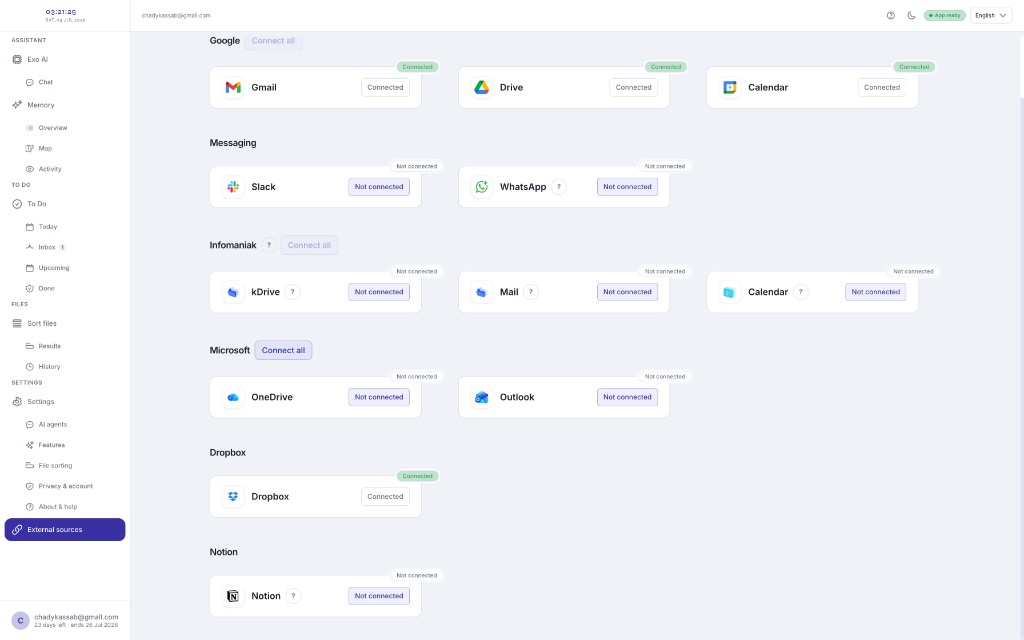
Connect

Your accounts, when you need them

  • Gmail, Drive, and Google Calendar
  • OneDrive and Outlook
  • Dropbox, Notion, Slack, and more
  • Infomaniak kDrive and Mail
Exo external sources — connect Gmail, Drive, Slack, Microsoft, Dropbox, and more
ConnectHook up Gmail, Drive, Outlook, and more when you want.

Trust

  • Processing on your device by default.
  • Connectors and cloud AI only when you enable them.
  • Usage analytics and crash reports off until you turn them on.

How we handle your data → Privacy

AI suggestions can be wrong — review before moving, deleting, or sending. See Terms.

Download

Windows 10/11 and macOS 12+.

Installers may show an unsigned-app warning the first time. Open from System Settings on Mac, or follow install help if your device blocks the app.

Downloads

Download for Windows

64-bit (x64, Intel / AMD). Not for Windows on ARM.

Download for macOS

Apple Silicon (ARM64). Intel-based Macs are not supported by this build.